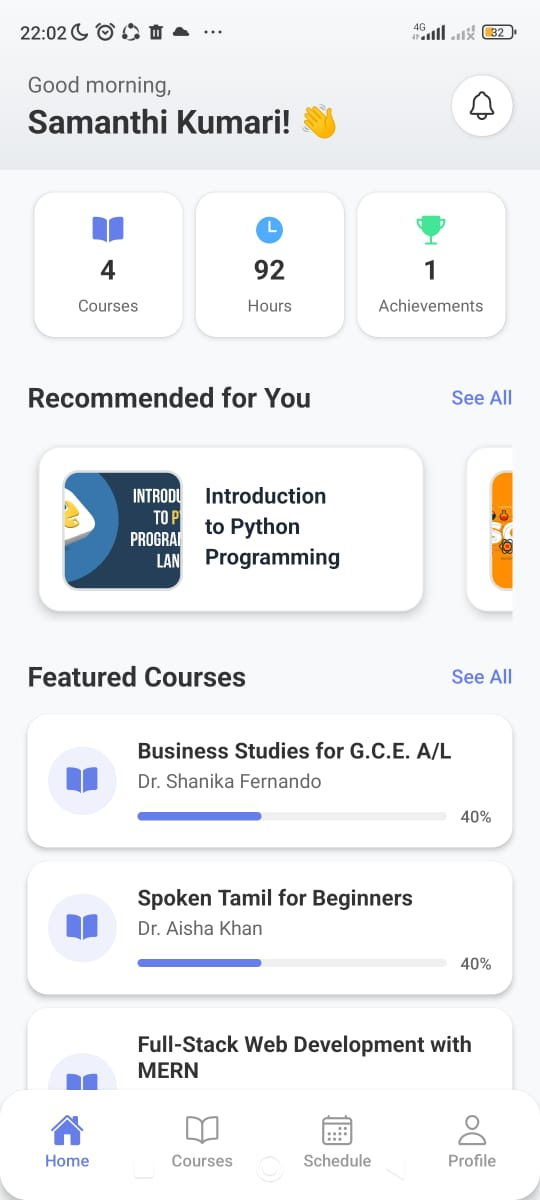
Nexa App
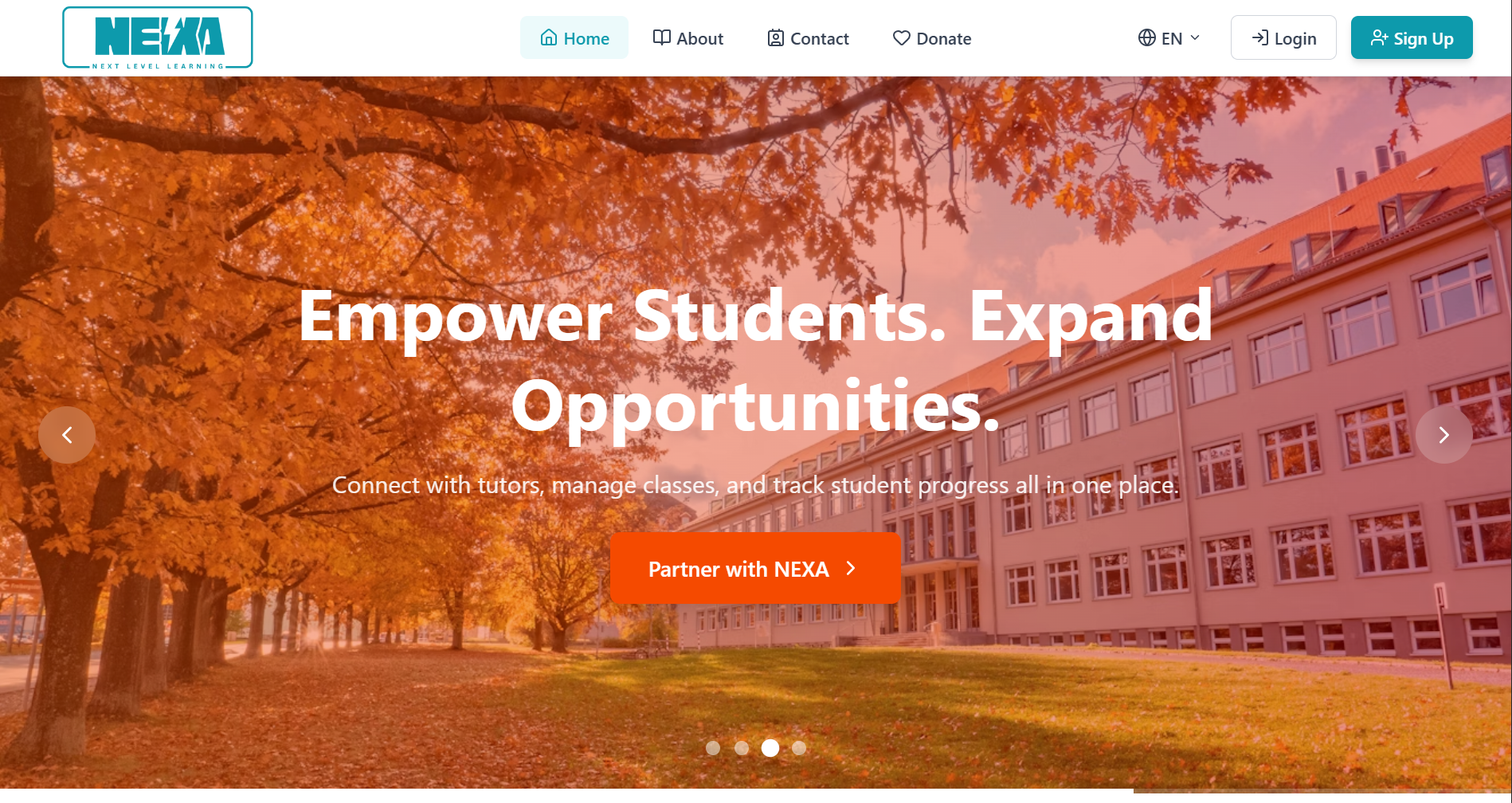
A cross-platform educational mobile application built with React Native and Expo that connects students and tutors through interactive courses, real-time chat, quizzes, and personalized learning experiences powered by a role-based learning ecosystem.
Table of Contents
Nexa – Educational Platform Mobile App
Introduction
Modern education is no longer limited to classrooms or static learning platforms. Students expect flexible, interactive, and mobile-first learning experiences, while tutors need efficient tools to create, manage, and deliver educational content in real time.
Nexa Mobile App was built to meet this demand by transforming the Nexa educational ecosystem into a fully interactive mobile experience. It connects students and tutors through a cross-platform application that supports learning, communication, assessments, and progress tracking in a single unified system.
Built using React Native and Expo, the application brings the full educational workflow directly to mobile devices while maintaining a consistent experience across Android, iOS, and web.
Mobile First Educational Experience
The core idea behind the Nexa mobile application is to shift learning from a traditional desktop environment to a mobile-first ecosystem.
Students can access courses anytime, anywhere, making learning more flexible and accessible. Tutors can manage content, monitor progress, and interact with students without being tied to a desktop interface. This mobility enhances engagement and supports continuous learning beyond scheduled sessions.
The application is designed with responsiveness, performance, and usability in mind, ensuring smooth navigation even on lower-end devices.
Dual Role System Architecture
Nexa uses a dual role system that separates the experience for students and tutors.
Students interact with the platform by enrolling in courses, viewing lessons, completing quizzes, and tracking their progress. Tutors, on the other hand, focus on content creation, course management, student evaluation, and communication.
This separation ensures that each user type receives a tailored interface optimized for their specific workflow, reducing complexity and improving usability.
Course and Learning Management
The course system in Nexa is designed to support structured and progressive learning.
Courses are divided into lessons, allowing students to follow a clear learning path. Each lesson can include video content, documents, quizzes, and interactive materials. Progress tracking ensures that students can monitor their advancement through each course.
This structured approach improves learning retention and helps students stay organized throughout their educational journey.
Real Time Communication System
One of the key features of the Nexa mobile application is real-time communication powered by WebSockets.
Students and tutors can interact instantly through course-based chat systems. This enables quick doubt clarification, discussion, and collaborative learning.
Real-time updates also ensure that notifications, progress changes, and course activities are immediately reflected across the system, creating a more dynamic learning environment.
Quiz and Assessment System
Nexa includes an integrated quiz and assessment module that allows tutors to evaluate student understanding effectively.
Quizzes can be created and assigned within courses, and students can complete them directly within the mobile app. Results are processed in real time, providing immediate feedback and performance insights.
This feature helps maintain continuous evaluation and supports adaptive learning paths based on student performance.
AI Powered Learning Assistant
The application integrates an AI chatbot that acts as a virtual learning assistant.
Students can ask questions, request explanations, and receive subject-related guidance at any time. This feature enhances self-learning capabilities and provides additional academic support outside of tutor interactions.
The chatbot improves accessibility to knowledge and ensures that students always have learning assistance available.
Authentication and Security System
Security is handled through JWT based authentication combined with secure token storage on the device.
The login and registration system includes role-based access control, ensuring that students and tutors access only their respective functionalities. Sensitive data is stored securely using encrypted storage mechanisms provided by Expo.
This ensures data privacy, session security, and safe access across devices.
Personalization and Learning Paths
Nexa mobile application includes a personalization layer that adapts the learning experience based on user preferences.
Students can select subjects, preferred learning styles, and languages, which are then used to generate personalized course recommendations. This makes the learning experience more relevant and engaging.
Personalized dashboards help users focus on content that aligns with their goals and interests.
State Management and Data Flow
The application uses a combination of local state management and persistent storage to maintain user sessions and application data.
SecureStore and AsyncStorage are used for storing authentication tokens and user preferences. Real-time data is managed through WebSocket connections, ensuring that updates are reflected instantly across the application.
This hybrid state management approach ensures both performance and reliability.
UI and User Experience Design
The Nexa mobile application is designed with a modern and visually engaging interface.
It uses gradient-based design elements, smooth animations, and intuitive navigation patterns to enhance user experience. The UI is structured to reduce cognitive load and ensure that users can easily navigate between courses, chats, quizzes, and dashboards.
Accessibility and responsiveness are key design priorities, ensuring usability across different devices and screen sizes.
System Architecture
The application follows a modular architecture using Expo Router for file-based navigation.
The frontend is structured into clear route groups such as authentication, onboarding, student interface, tutor interface, quizzes, and chatbot systems. This separation improves maintainability and scalability.
The backend integration is handled through REST APIs, while real-time features are powered by Socket.io, creating a hybrid communication system.
Cross Platform Development
Nexa is built using React Native and Expo, allowing a single codebase to run on iOS, Android, and web platforms.
This significantly reduces development complexity while ensuring consistent user experience across all devices. Expo simplifies development, testing, and deployment through tools like Expo Go and EAS Build.
Performance Optimization
The application is optimized for performance through lazy loading, efficient state management, and minimal re-rendering strategies.
Skeleton loading states and asynchronous data fetching improve perceived performance, while optimized component structures ensure smooth navigation and interactions.
Development Methodology
The project follows a structured and modular development approach, separating concerns between components, APIs, utilities, and screens.
This ensures scalability and maintainability, allowing new features to be added without affecting existing functionality.
Conclusion
The Nexa Mobile App demonstrates how modern educational platforms can be transformed into mobile-first ecosystems that support interactive learning, real-time communication, and personalized education.
By combining React Native, Expo, and a role-based architecture, the application delivers a scalable and efficient solution for bridging the gap between students and tutors in a mobile environment.